


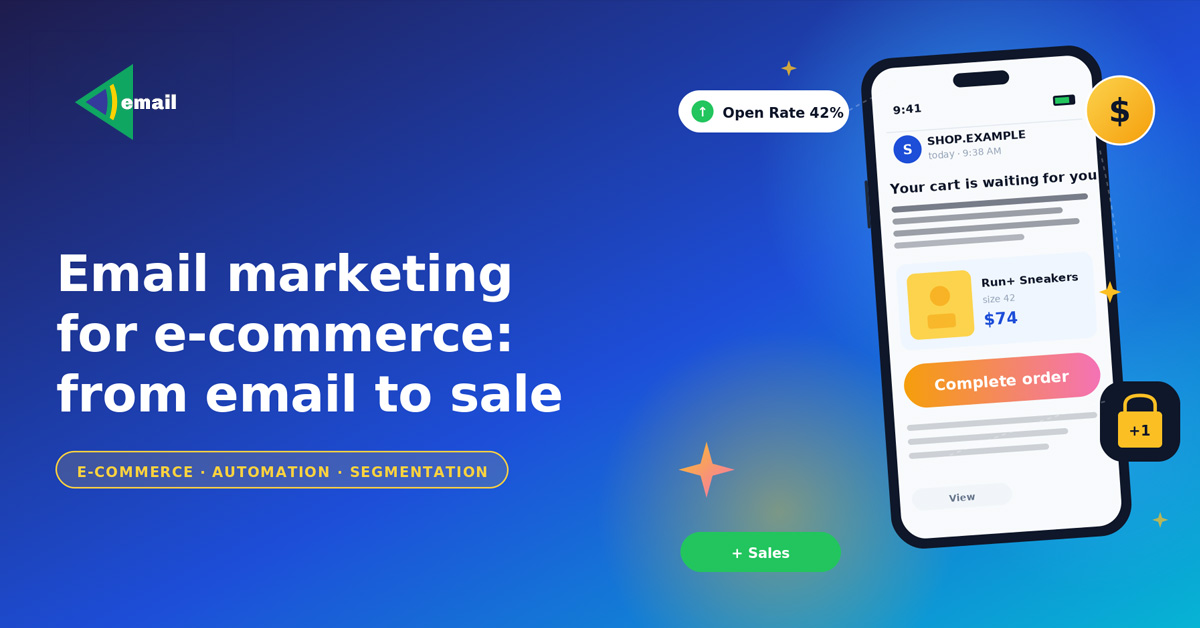
Email marketing in e-commerce helps you bring users back to your site, recover abandoned carts, drive repeat purchases, and grow sales without constantly increasing your ad budget.
Why email marketing works for online stores
In e-commerce, shoppers often delay their purchase: they compare products, look for a better price, or simply leave the site and forget they ever intended to buy something. Email marketing helps you win that customer back without paying for advertising twice.
The channel is especially effective for working with an already-interested audience: users who left their email, browsed products, or have placed an order before. On top of that, the email list belongs to the business itself, so the store doesn’t depend on social-media algorithms or ad-platform changes.
Which emails actually generate sales
Drawing on the experience of top Email marketing agency teams, what delivers results is a system of different scenarios that work at distinct stages of the purchase. Here are the main types of emails an email marketer can use:
Welcome emails
The first emails after subscription introduce the user to the store, showcase popular products, offer a bonus or promo code, and gently push toward the first order. A short series of several emails works better than a single message.

Abandoned-cart emails
A user added an item to the cart but didn’t complete the purchase. These emails remind them about the order and bring them back to the site. A typical setup is a sequence of messages: a reminder about the cart, a recap of the product’s benefits, a bonus, or a time-limited incentive.

Browse abandonment
Emails sent after product browsing help bring back users who left the site without buying. In these scenarios, a store can resurface viewed products, suggest similar items, or flag a price drop or low stock.

Promo and campaign emails
Promo campaigns are used for seasonal sales, new collection launches, flash sales, and special offers. But if a store sends only discount emails, the audience gradually stops responding to the campaigns at all.
Post-purchase emails
Post-purchase communication is essential for sending order status updates, collecting reviews, recommending complementary products, and nudging repeat purchases.

Win-back emails
Win-back scenarios re-engage inactive customers through personal offers, new products, reminders about the store, and special bonuses.
How emails actually move a customer toward a purchase
Email marketing helps you reclaim user attention and gradually move a person toward placing an order. Here’s how that works and why.
Re-engaging with the brand
After leaving the site, a user quickly forgets about the store, especially if they’re browsing competitors at the same time. Email campaigns bring the brand back into focus and remind shoppers about the product without an extra ad spend. In many cases, the sale happens on the second or third touch, not the first.
Reducing pre-purchase hesitation
Users often delay an order because of standard objections. They’re not sure the product is high-quality, they don’t fully trust the store, they don’t understand how delivery works, or they’re worried the product won’t fit. Mail marketing lets you close those doubts step by step through reviews, product photos, delivery details, FAQs, and buying recommendations.
Bringing the user back to the site
A share of customers leaves the store even when they were ready to buy. The reasons vary: they got distracted, decided to think it over, or something interrupted them mid-checkout. Trigger emails bring those users back to the site and keep the funnel moving without needing to re-acquire them via paid ads.
Building trust in the store
For new and lesser-known stores, email communication is one of the fastest ways to build brand trust. Regular emails maintain contact with the user, reinforce recognition, signal that the store is operating reliably, and steadily build loyalty. Balanced communication works better than turning every email into a sales pitch.
Driving repeat purchases
In many niches the bulk of revenue comes from repeat orders. This is especially true for cosmetics, household goods, pet food, apparel, and consumables. E-mail marketing lets you remind customers about a purchase right when the product is likely to be needed again. Such scenarios bring repeat sales without constantly scaling your ad budget.
Segmentation and personalization
The same email blast to your entire list no longer works. Users have different interests, behaviors, and purchase histories, so segmentation directly affects open rates, clicks, and sales.

Segmentation means splitting the list into groups by specific signals: behavior on the site, purchase history, product categories, region, and so on. If you’re planning to order email marketing services, here are the main directions of segmentation and personalization to know about:
By purchase history
By tracking order history, you can recommend complementary products, run repeat-purchase campaigns, and build personalized selections. For example, after a customer buys a coffee machine, the store can suggest coffee, filters, or cleaning solutions.
By user behavior
The store can analyze which products a user is viewing, which categories they’re interested in, what they’re adding to favorites, and whether they return to the site. Based on these actions, you can craft more relevant offers. For example, if a user keeps browsing running shoes, it makes more sense to show them running gear rather than random categories.
Personalization is not just inserting a first name. Modern personalization is about delivering relevant content. Email marketing works better when products match the user’s interests, the email reflects the customer’s behavior, and the offer feels timely. For instance, someone who only buys products for dogs is unlikely to engage with a campaign featuring cat supplies.
Segmentation has a positive impact on sales. It lifts open rates, boosts CTR, improves conversion, lowers unsubscribes, and grows repeat purchases. If a user keeps receiving irrelevant emails, they gradually stop opening campaigns or unsubscribe entirely.
Automation scenarios: how they work and why they matter
If a store sends emails manually, email marketing quickly becomes chaotic. Automation lets you launch scenarios in response to specific user actions:
- subscription;
- product view;
- abandoned cart;
- purchase;
- prolonged inactivity.
An email marketer sets up automation through triggers — user actions on the site. For example, a user added an item to the cart and didn’t complete the order. The system automatically sends a reminder. The post-view email arrives while interest is still high, the abandoned-cart flow fires immediately after the cart is left, and post-purchase scenarios are timed against the date of purchase. As a result, automation typically delivers higher open rates, better CTR, and stronger conversion.
For most online stores it’s enough to start with basic automation:
- Welcome series.
- Abandoned cart.
- Post-view emails.
- Post-purchase scenarios.
- Win-back emails.
These scenarios usually deliver the fastest sales impact.
What else matters? For automation to work correctly, the emailing marketing system has to receive data from the site and the CRM: product views, cart additions, purchase history, order statuses, and user behavior. Without that, the store will only be able to run basic mass campaigns with no real personalization.
As the list grows, maintaining personalized communication by hand becomes impossible. Automation helps you:
- scale email marketing;
- work with multiple segments at the same time;
- avoid losing potential sales;
- maintain steady communication without manually launching each campaign.
Automation needs to be reviewed and updated regularly. It’s important to check whether scenarios are firing correctly, where conversion is dropping, which emails are losing effectiveness, and how audience behavior is shifting. Even strong scenarios in e-commerce need ongoing optimization.
Key metrics for email marketing effectiveness
One of the main advantages of email marketing is the ability to measure results precisely. The store sees not only opens but also the impact campaigns have on sales, repeat purchases, and user behavior. At the same time, it’s important that an email marketer analyzes metrics holistically.

The core ones:
Open Rate — email opens
Shows what percentage of users opened the email. It’s influenced by the subject line, sender name, send time, domain reputation, and list quality. A high Open Rate means the email caught attention, but on its own it doesn’t guarantee sales.
CTR — click-through rate
Shows how many users clicked a link inside the email. A low CTR usually points to irrelevant content, a weak offer, overloaded design, or an unclear CTA. For e-commerce this is one of the key metrics because it directly affects how many people return to the site.
Revenue per Email — campaign revenue
This metric shows how much revenue email marketing actually generates. It helps you understand which scenarios perform best, which segments drive the most sales, and whether the spend on email marketing pays off.
Repeat Purchase Rate
This metric shows whether customers come back after email communication. It helps evaluate the effectiveness of post-purchase scenarios, customer retention quality, and the impact of email marketing on repeat sales.
Conversion Rate
Conversion Rate shows how many users complete a target action after clicking through from an email: placed an order, submitted a form, or added an item to the cart. This metric reveals the real impact of email marketing on sales.
Unsubscribe Rate
Unsubscribes show how comfortable the communication feels to the audience. Rising unsubscribes can come from sending too often, irrelevant offers, an aggressive sales tone, or poor segmentation. For e-commerce this is an important indicator because the contact list is one of the store’s key assets.
Common mistakes in e-commerce email marketing
Even a good online store can lose sales through mistakes in marketing emails. With B2C or B2B email marketing, the issue is often not the platform itself but the communication with the audience. Common mistakes include:
Too many promotional emails
A constant stream of campaigns quickly erodes audience interest. Users start ignoring emails, only waiting for deals, or putting off purchases until the next sale. That’s why it’s important to mix promos with personalized selections, recommendations, post-purchase scenarios, and product reminders.
One-size-fits-all emails for the entire list
Mass campaigns without segmentation lose effectiveness over time. Some users get irrelevant offers. New customers see emails meant for loyal buyers. A user receives products from categories they don’t care about, or the store advertises something the customer has already bought. Personalization has become a baseline requirement for effective email marketing.
No automated scenarios
If the store only runs manual campaigns, it loses a chunk of sales. Without automation, the business isn’t working abandoned carts, repeat purchases, new subscribers, or inactive audiences. As a result, email marketing becomes unstable and entirely dependent on manual effort.
Purchased or low-quality email lists
Buying ready-made lists usually leads to low opens, unsubscribes, spam placement, and damaged domain reputation. For e-commerce, a smaller but live list of users who actually engaged with the store is far more valuable.
Weak mobile adaptation
Most users read emails on a smartphone. If the email doesn’t render well on mobile, the store loses a share of clicks and sales. Typical issues: tiny buttons, overloaded copy, broken product layouts, slow loading.
No regular analytics
Without analytics, the store doesn’t know which scenarios are driving sales, where conversion is dropping, which segments are performing better, or which emails have lost their punch. That’s why email marketing requires ongoing testing and scenario updates.
Conclusion: where to start with E-mail marketing for e-commerce
For an online store, email marketing campaigns are a tool for bringing customers back, driving repeat purchases, and working with an already-engaged audience.
To get started, a handful of basics is enough:
- Set up email-list capture through the site.
- Launch a welcome series.
- Add an abandoned-cart scenario.
- Plug in basic segmentation.
- Set up analytics.
- Regularly test and update scenarios.
Results usually come not from sending more campaigns, but from working systematically: segmentation, automated scenarios, personalization, and regular analytics.
 33|
33|
 0
0

Comments 0
Relevant articles
Relevant articles
ARE YOU READY TO IMPROVE YOUR PROJECT WITH #UAATEAM?
We will be happy to discuss your project, along with your main goals and objectives. You can schedule a meeting with one of our managers.
Open->
to new